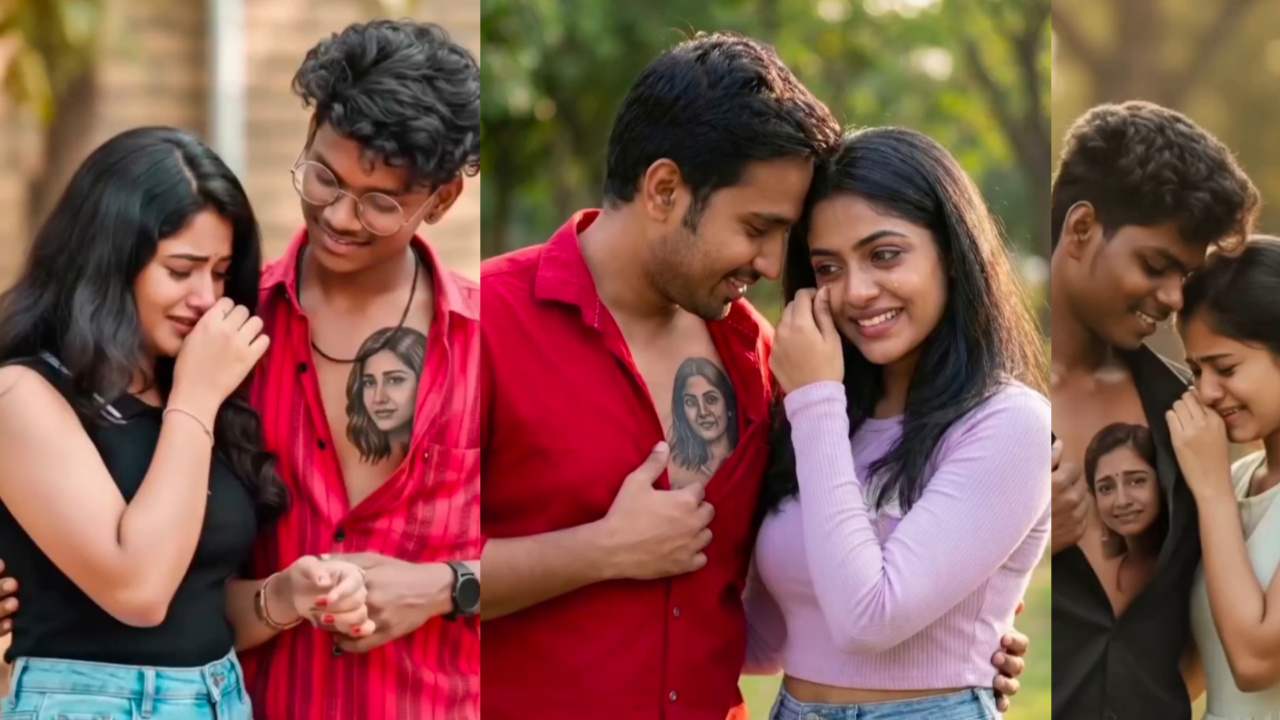
Trending Ai Tattoo Photo
Insta Trending Ai Tattoo Photo Edit Several specialized courses are available for tattoo artists interested in developing their AI skills.
Fame Tattoos AI Training: This complimentary session, led by Konstantin Alekseev, explores the evolving role of AI in design, cover-up techniques, and real-client applications for personalized results.
Tattoo AI Master: This program provides video lessons on effective prompting, customization, and transforming AI-generated images into designs suitable for tattooing. It also includes exclusive content and a ChatGPT guide for lettering and design recreation.
AI Tattoo Design Course by Igor Tattooing: This course emphasizes a step-by-step approach to sketching, customizing styles, and attracting clients through efficient AI-powered workflows.
AI Tools and Applications
Artists are learning to utilize generators such as BlackInk AI for text-to-design creation and Canva’s free tattoo generator for rapid visual concepts. These tools support a range of styles, from watercolor to hyper-realistic, and help streamline the design process from concept to application.
Business and Operational AI
Beyond design, platforms like Studioflo’s Athena AI can assist with bookings, inquiries, and aftercare by learning from studio-specific details, including pricing and artist specialties. This automation allows artists to dedicate more time to their craft while enhancing operational efficiency.
Gemini AI facilitates photo editing to incorporate realistic tattoo effects by allowing users to upload an image and utilize text prompts to generate or modify designs.
Individuals can describe desired tattoo styles, placements, or adjustments, leveraging Gemini’s image generation and editing capabilities. This functionality is accessible through the Gemini application or website, and can be enhanced with tools such as Nano Banana Pro for precise modifications.
To edit tattoos using Gemini, one would typically upload a photograph to Gemini AI (either via the app or gemini google) and provide a prompt with specific details, for instance, “kindly add a realistic Japanese-style dragon tattoo on the arm” or “please edit this photo to display a tribal tattoo on the chest.”
Results can be refined through conversational prompts, such as “could you please change the color to black ink” or “would you make it appear more realistic on the skin,” while ensuring facial and body details are preserved.
Users have the option to download the image or continue iterating; some prefer to generate prompts initially by inquiring, “could you provide prompt details for [tattoo idea]?”
Regarding related tools and applications, dedicated apps like Inky (Tattoo AI & Body Editor) or Canva’s AI Tattoo Generator offer comparable augmented reality previews and editing features for tattoos on photos, complete with various style options and body reshaping capabilities.
Fotor’s integration with Gemini 3 Pro supports popular trends such as tattooed selfies or portraits. These tools can complement Gemini for professional previews prior to obtaining a permanent tattoo.
Prompt
{
“scene_description”: “A couple standing closely in an emotional moment. The man gently reveals a chest tattoo of the woman, while the woman cries happily and wipes her tears.”,
“characters”: {
“male”: {
“pose”: {
“stance”: “Standing slightly turned toward the woman, leaning gently forward.”,
“head_position”: “Tilted downward, looking at the woman with a soft smile.”,
“facial_expression”: “Affectionate smile with relaxed eyes.”,
“torso”: “Shirt pulled open to reveal a detailed portrait tattoo on the left chest.”,
“arms”: {
“right_arm”: “Bent at elbow, holding shirt open with fingers gripping fabric.”,
“left_arm”: “Relaxed at side, partially visible.”
}
},